Event platform & event design
Aston Martin
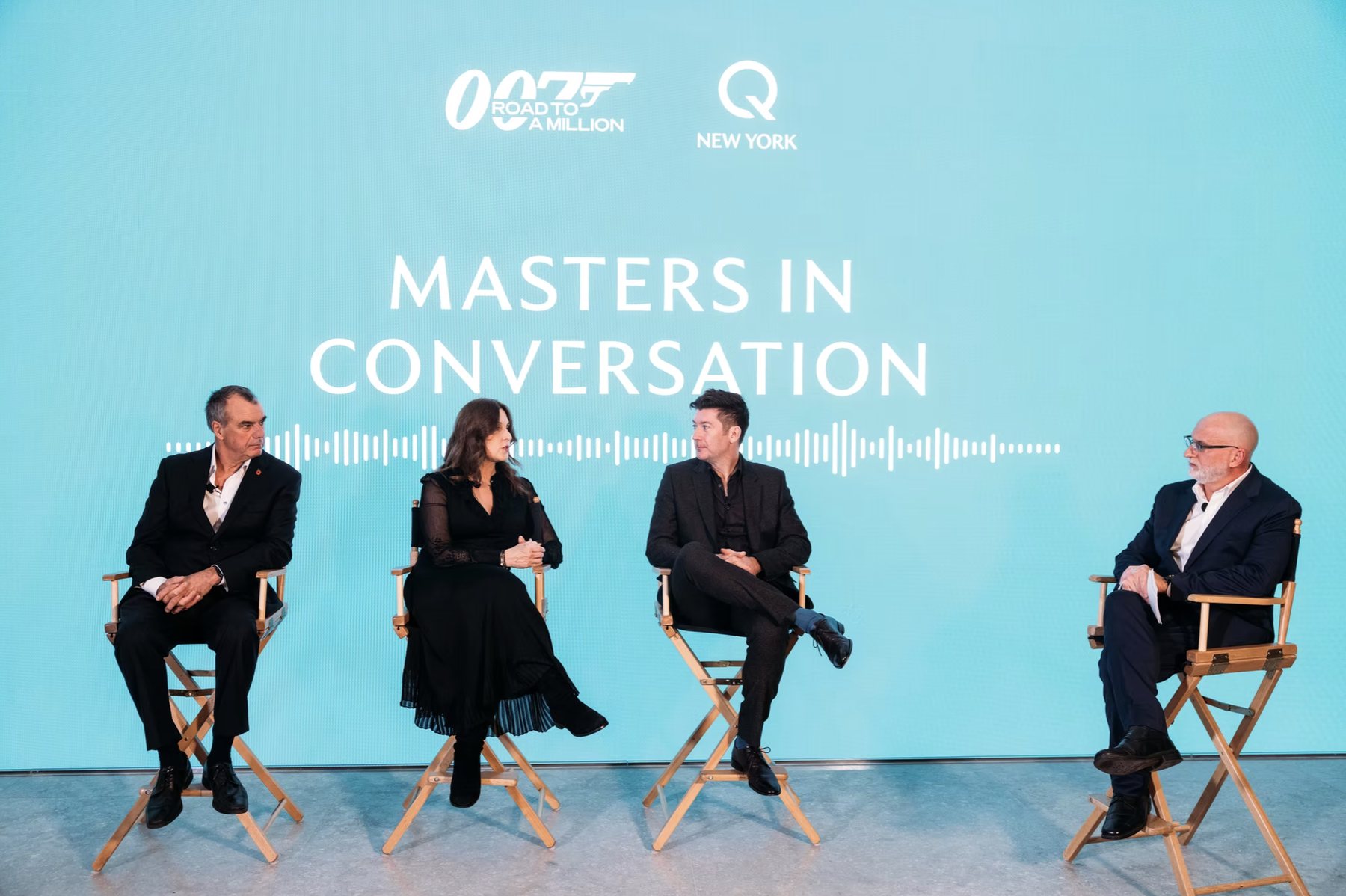
The console and the event design behind Masters in Conversation, for the launch of 007: Road to a Million.
At a glance
- 8people working in the console at once, each seeing only their role
- 1tool instead of spreadsheets and email threads
- 3brands in one approval flow
- 1M+campaign impressions
Challenge
A launch evening for three brands at Q New York, usually run on scattered spreadsheets and email threads.
Approach
Masters Console, the internal software that runs the evening end to end, plus the event identity: social, LED stage, print.
Result
One tool for 8 people at once, each with a view for their role, three brands approving in one place, and 1M+ impressions.
The problem
The industry today
Brand launch events usually run on scattered spreadsheets and email threads: guest lists, approvals, seating, suppliers and cues.
My challenge
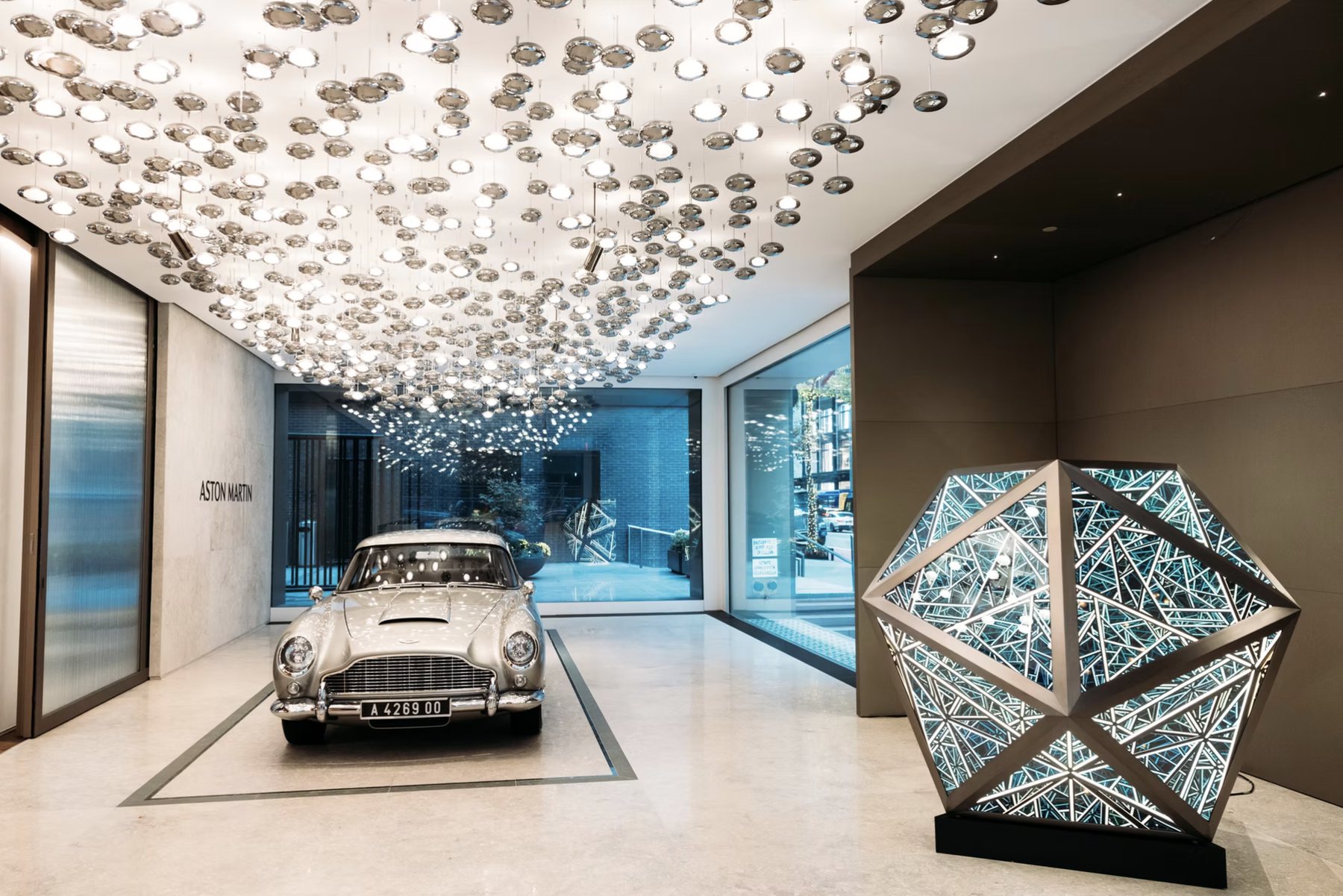
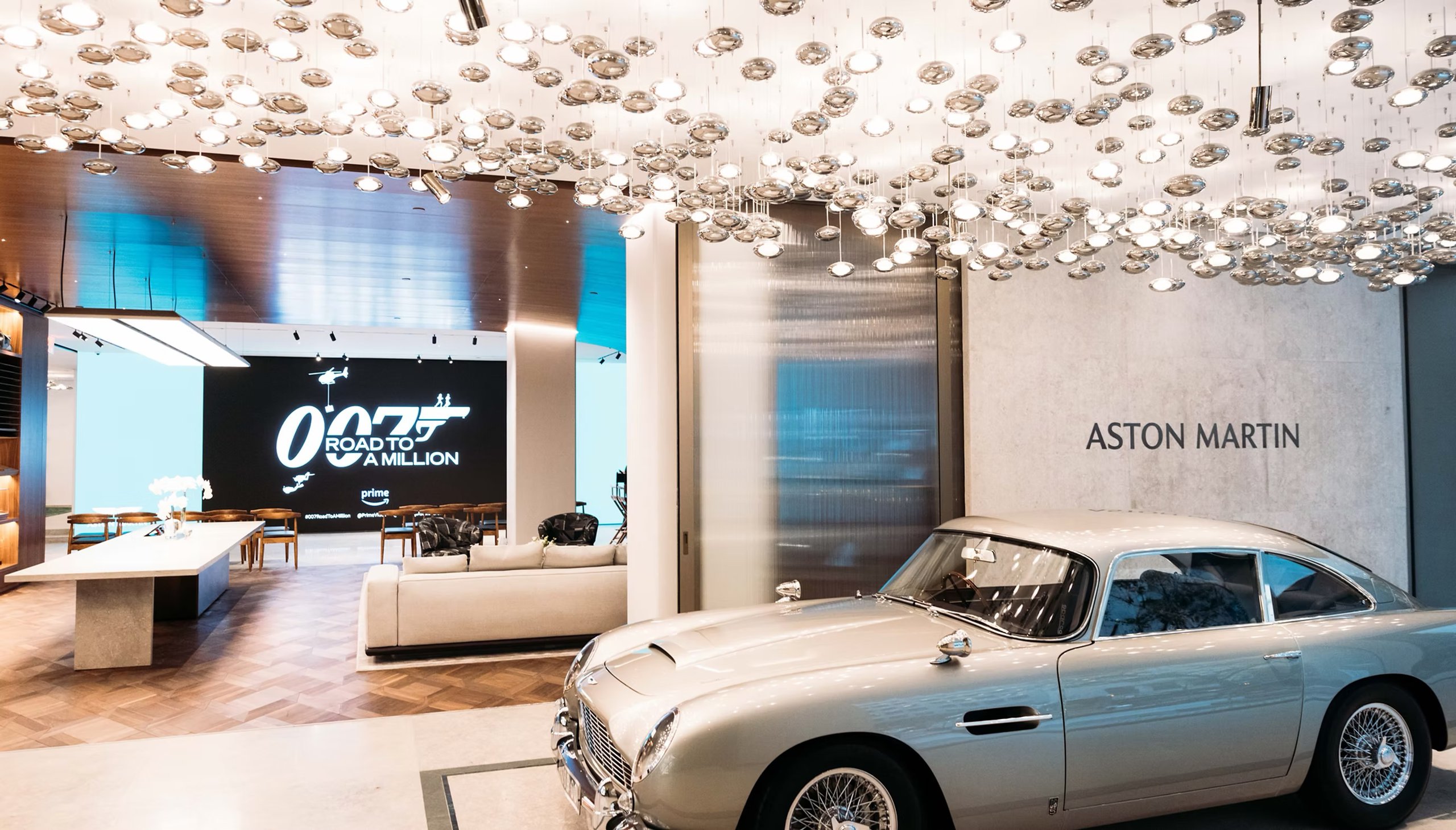
Aston Martin launched Masters in Conversation at Q New York with the premiere of 007: Road to a Million, with Prime Video and EON Productions. One evening, three brands.
I had to give every team the same evening from its own angle, from the event lead to the door team.
Scope · one evening, four fronts, three brands
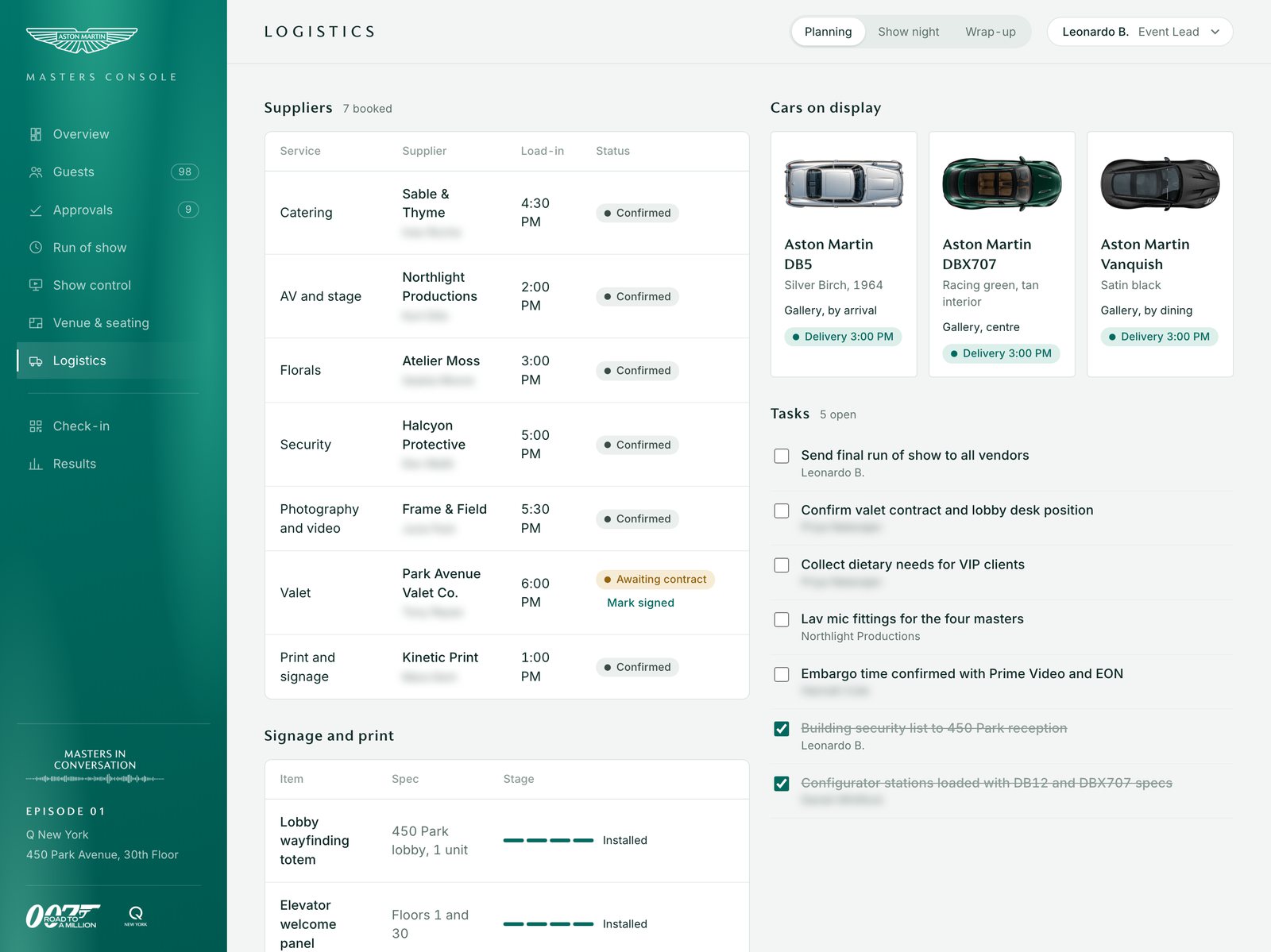
The platform that runs the evening: guests, approvals, seating, run of show, show control, check-in.
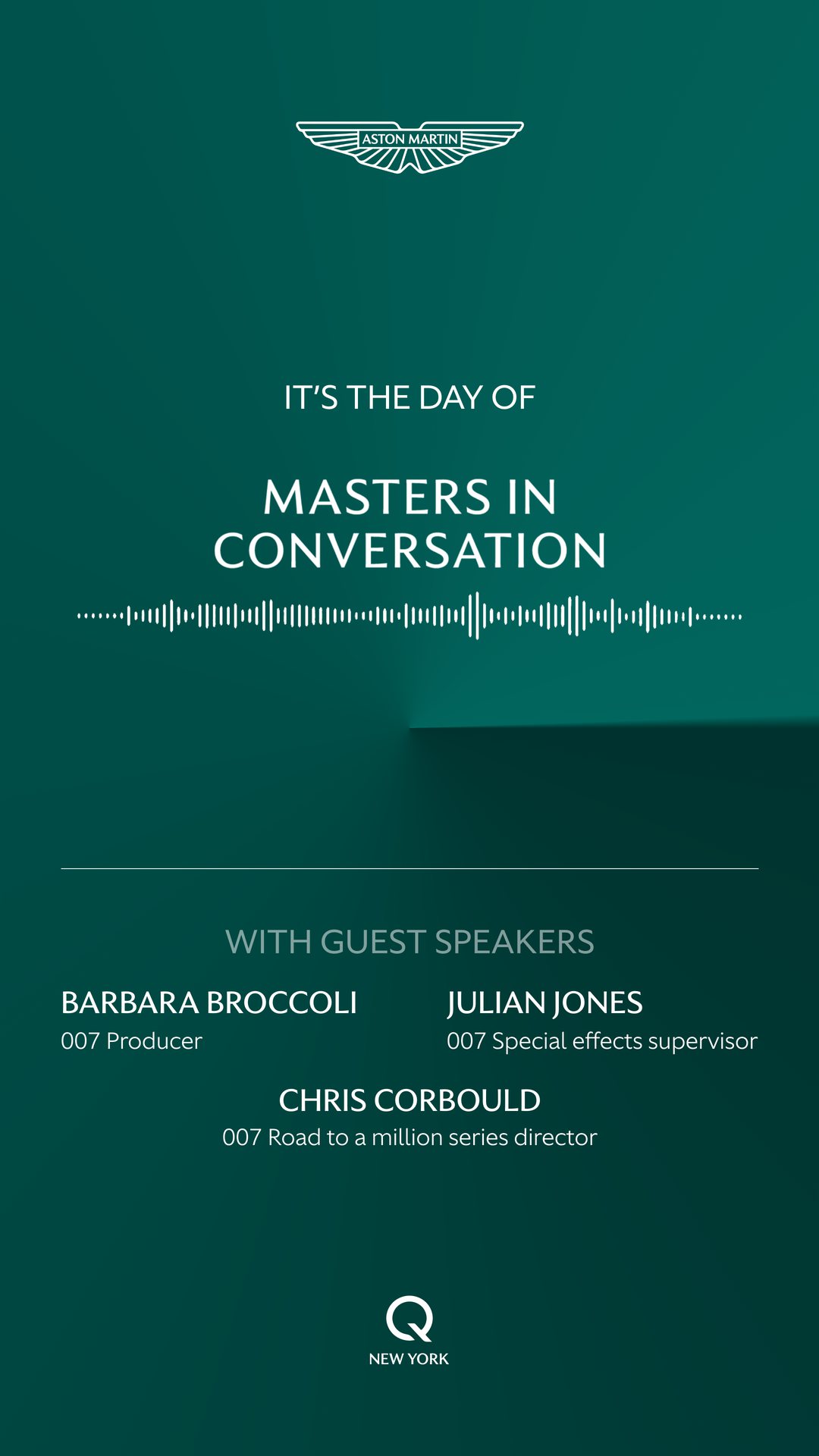
Lockup, waveform motif, type and colour, shared by stage, print and the console.
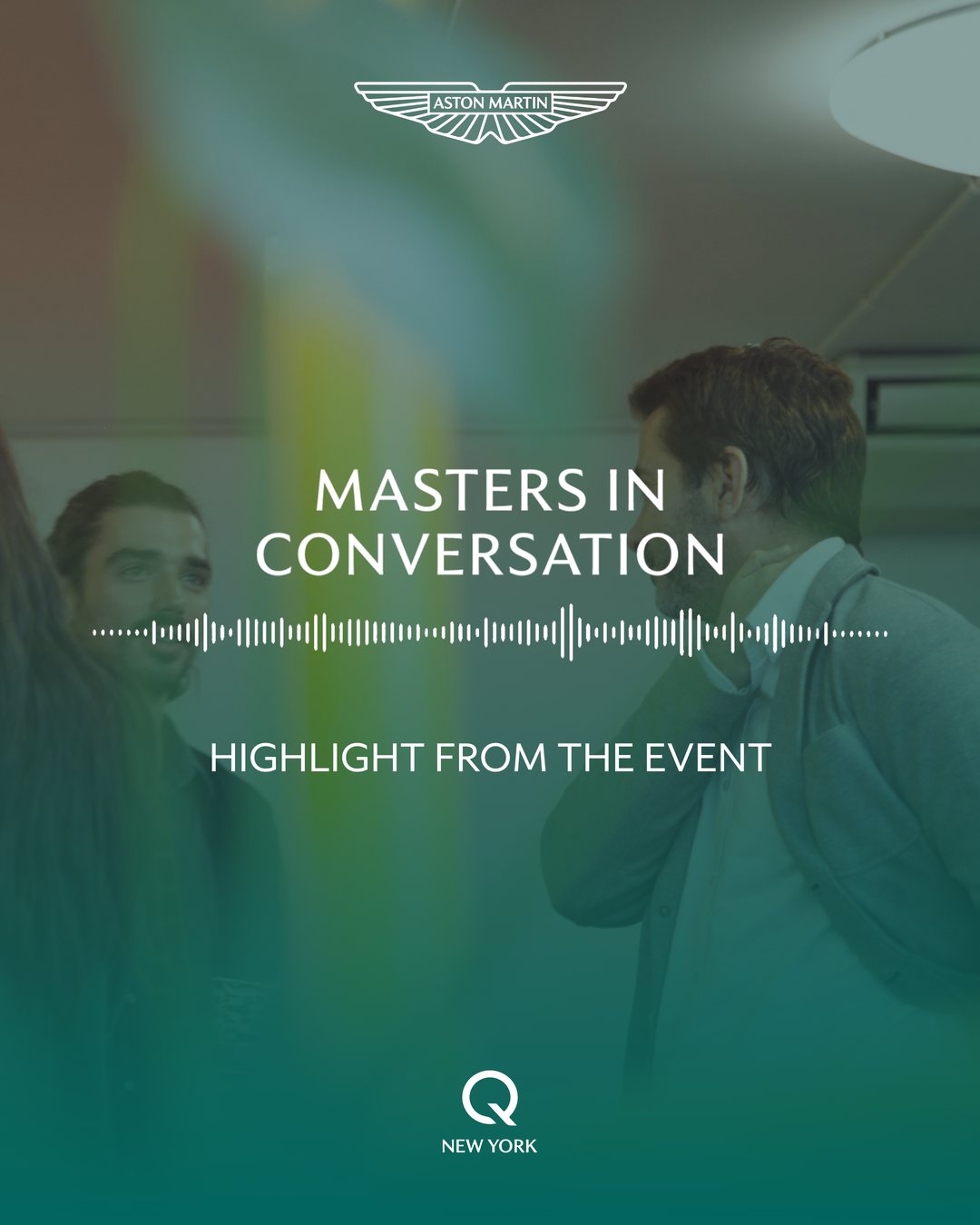
Teaser, reels, feed posts and stories, before, on the day and after the event.
LED stage backdrop and screen cues, wayfinding, table and menu cards.
My role
Role
UX/UI Design Lead · Event design
Through Octonano, I led the design end to end in a team of three: the platform, from information architecture to dev-ready UI, and the whole event design.
Worked with
- Design team of 3
- Project managers
- Executives
- Technical leads
- Developers
- Marketers
What I owned
- 01Platform IA, UX and UI
- 02Dev-ready specs with the developers
- 03Front-end in React & TypeScript (Claude Code)
- 04AI-generated design tokens
- 05Event identity and LED stage visuals
- 06Social campaign: teaser, reels, posts, stories
- 07Print and on-site signage
- 08Alignment across three brands
How I approached it
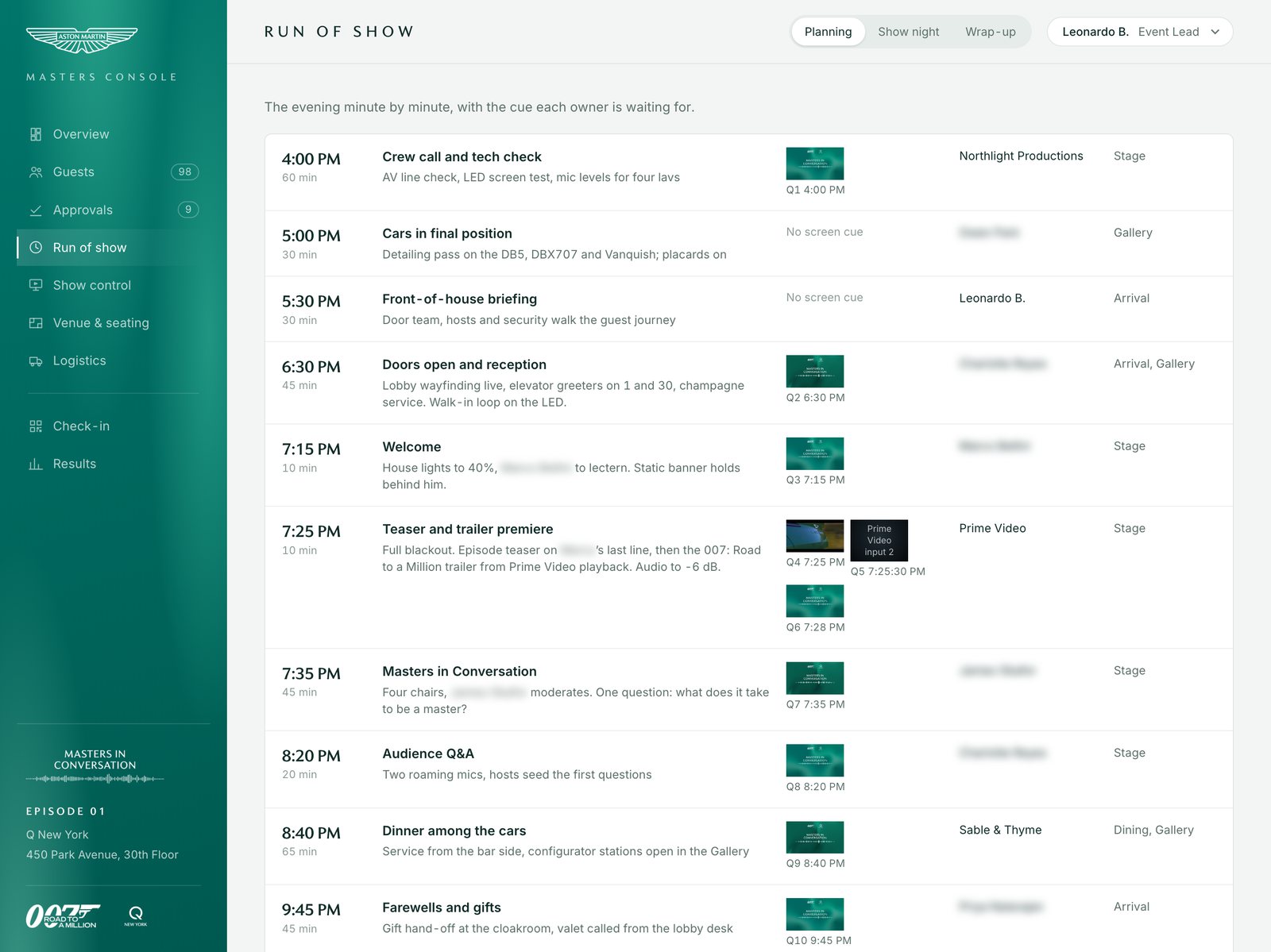
I walked the run of show minute by minute with the team. That became the console: one data set, a view per role, three phases.
Approvals were the critical path, so every item shows the three brands side by side, with who is still waiting.
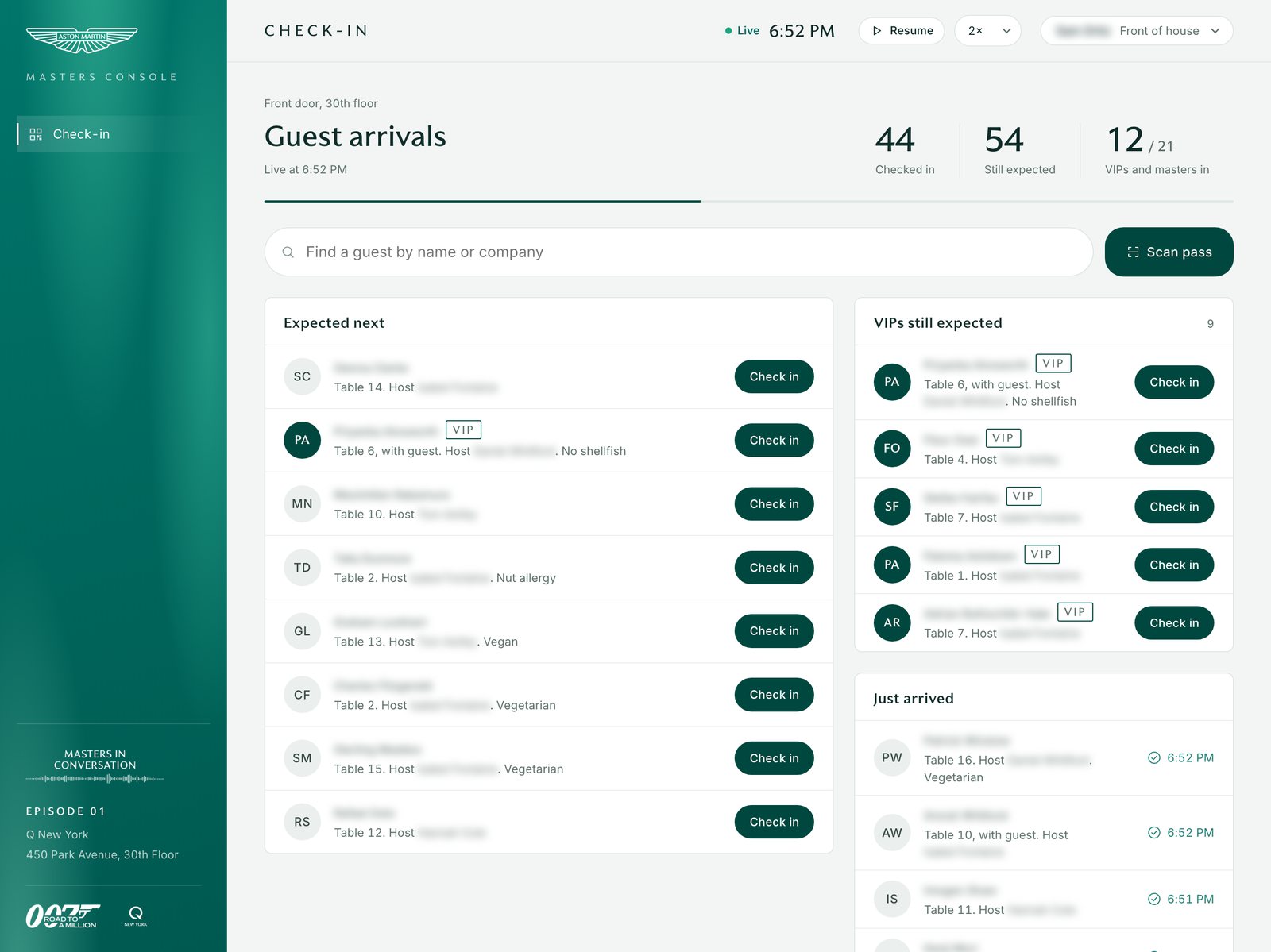
On the night, the same data drives check-in, LED cues and the event lead's live view.
Key decisions
- 01One data set, a view per roleLess noise, fewer mistakes.
- 02Three phases: planning, show night, wrap-upOne tool for the whole evening.
- 03Three brands side by side on every approvalEvery approval status at a glance.
- 04Run of show linked to the LED cuesStage and schedule never drift apart.
- 05One visual language from console to stageSame colour, type and waveform everywhere.
Interaction patterns
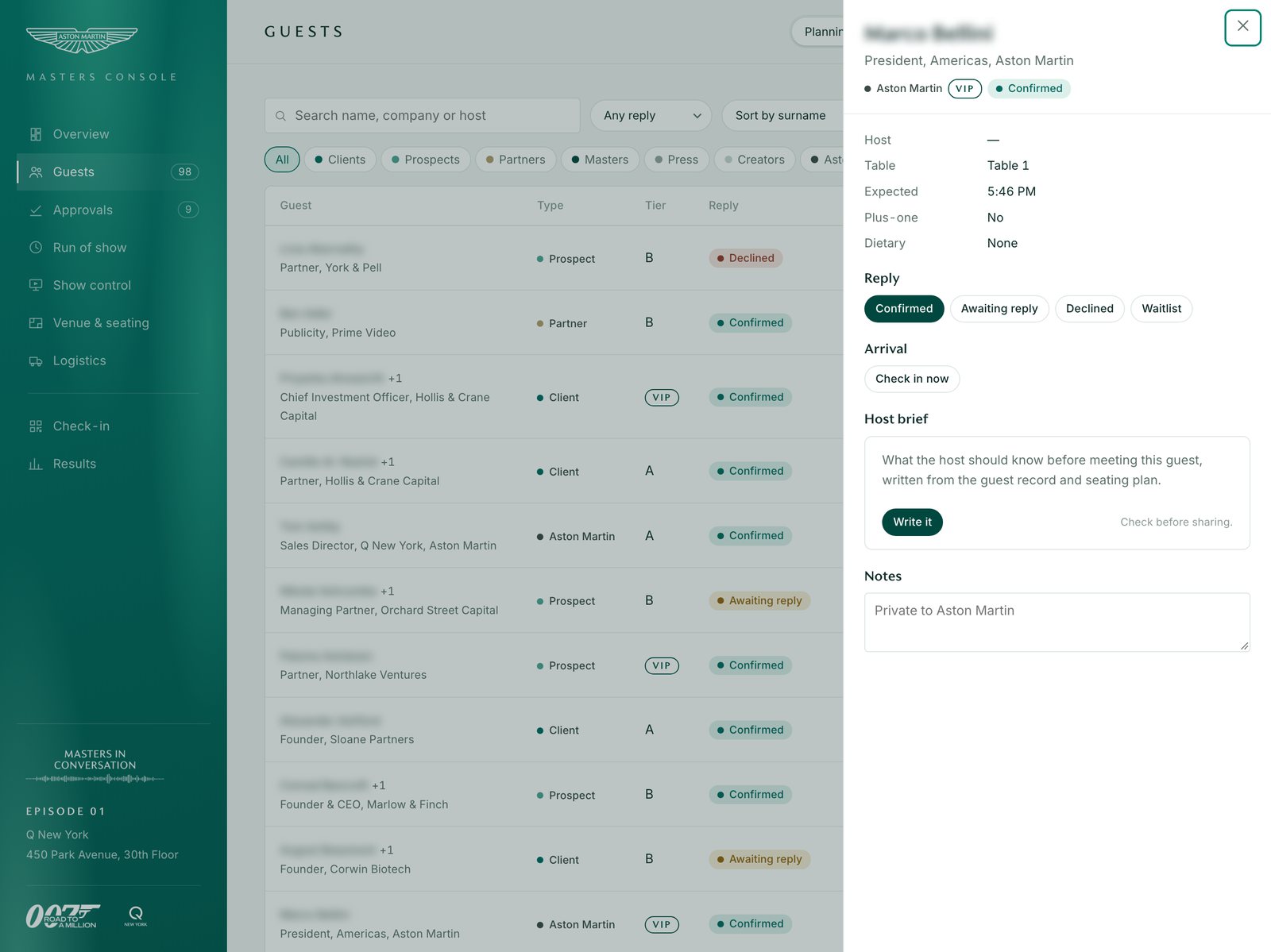
- Progressive DisclosureOne data set, and each role sees only the items it needs.
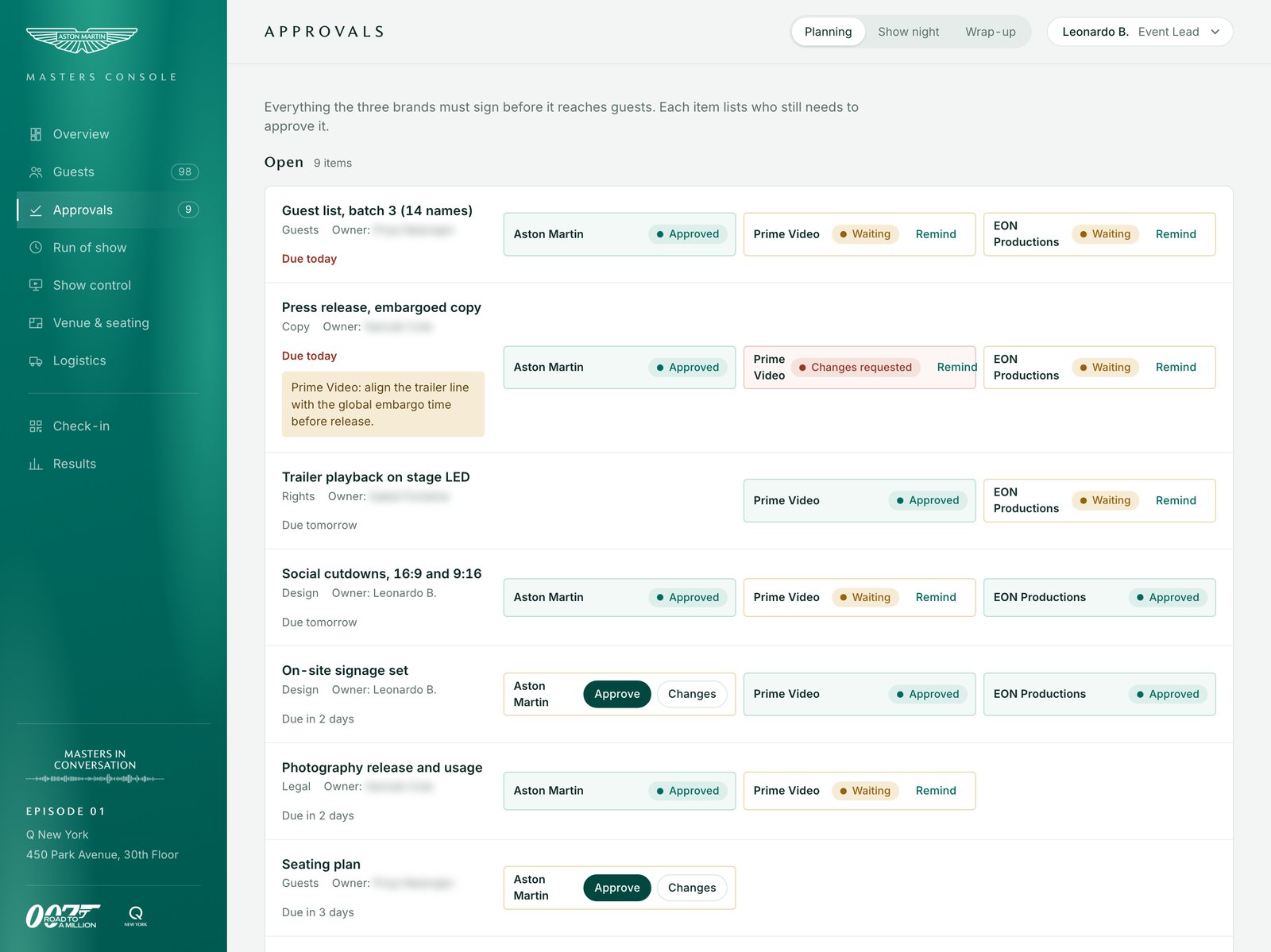 12345
- 1Three brands side by side, each with its own status
- 2Deadlines turn red on the day they fall due
- 3A change request sits inline, in the partner's own words
- 4One tap reminds whoever is still waiting
- 5Aston Martin approves in place, with no email loop
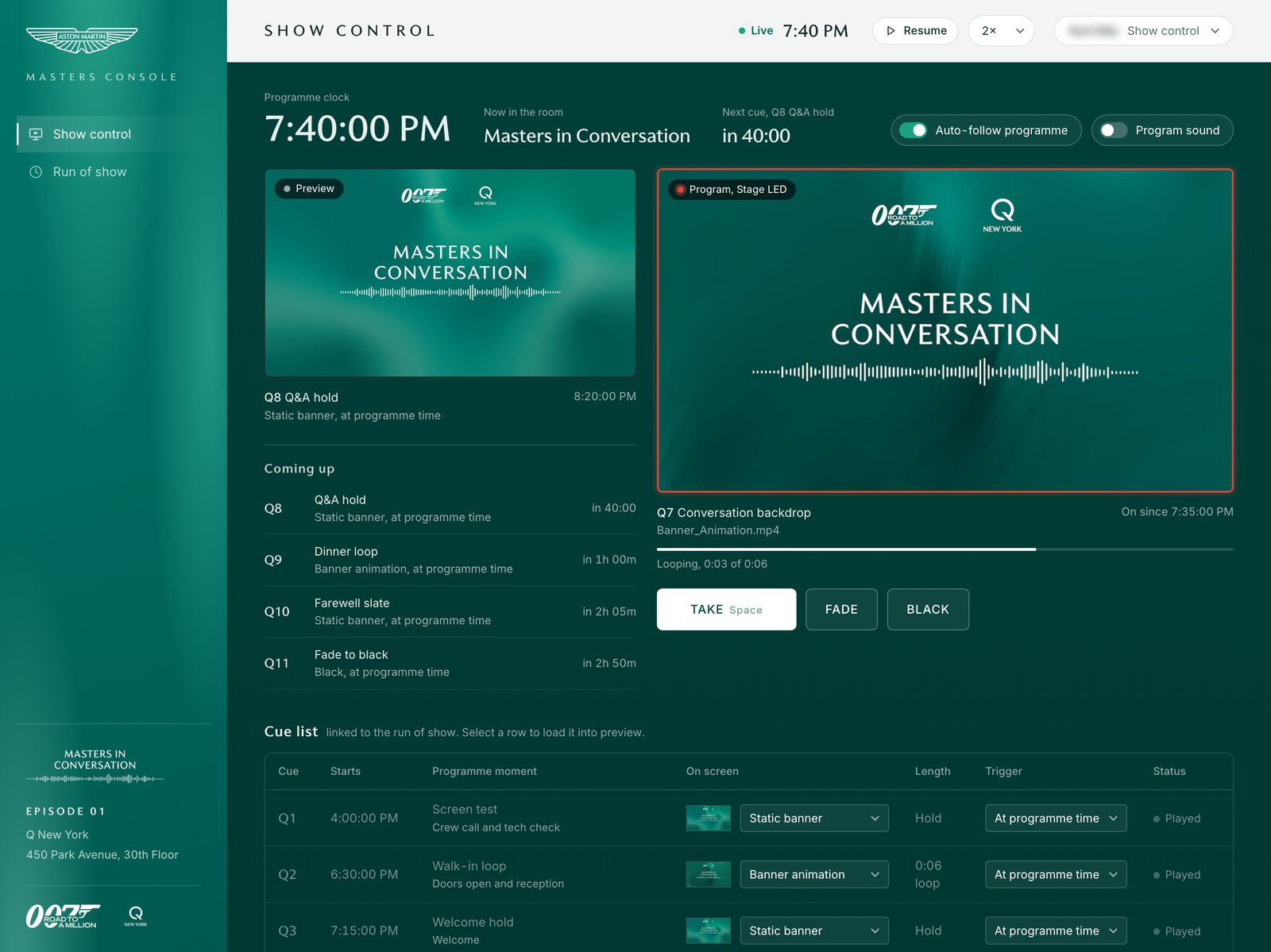 12345
- 1Programme clock, what's in the room now and the next cue
- 2Preview and program, like a broadcast desk: load, check, take
- 3Take, fade, black: three actions, sized for a tense moment
- 4Auto-follow fires timed cues; off, every cue waits for a Take
- 5Cue list linked to the run of show, row by row
What I built
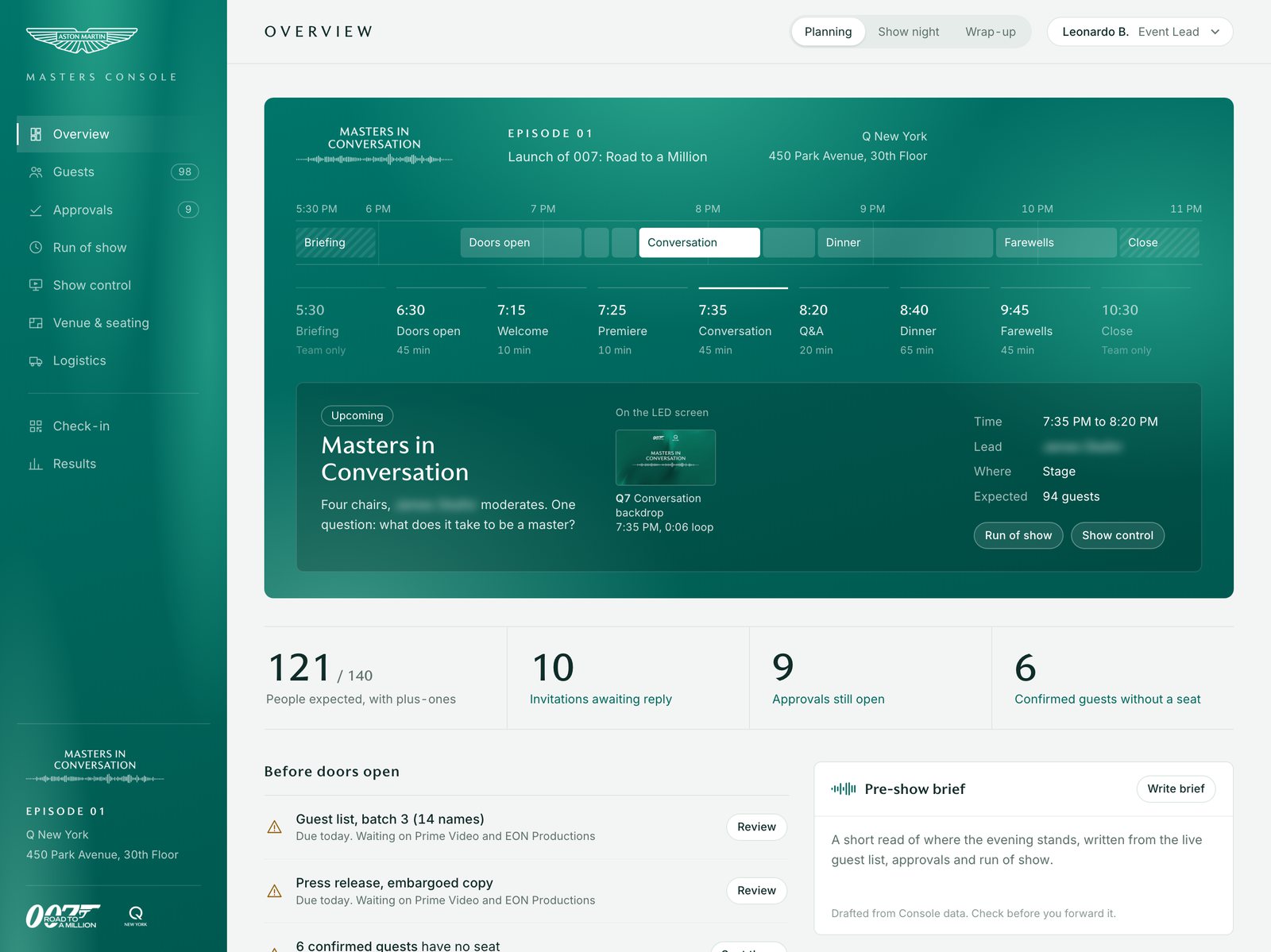
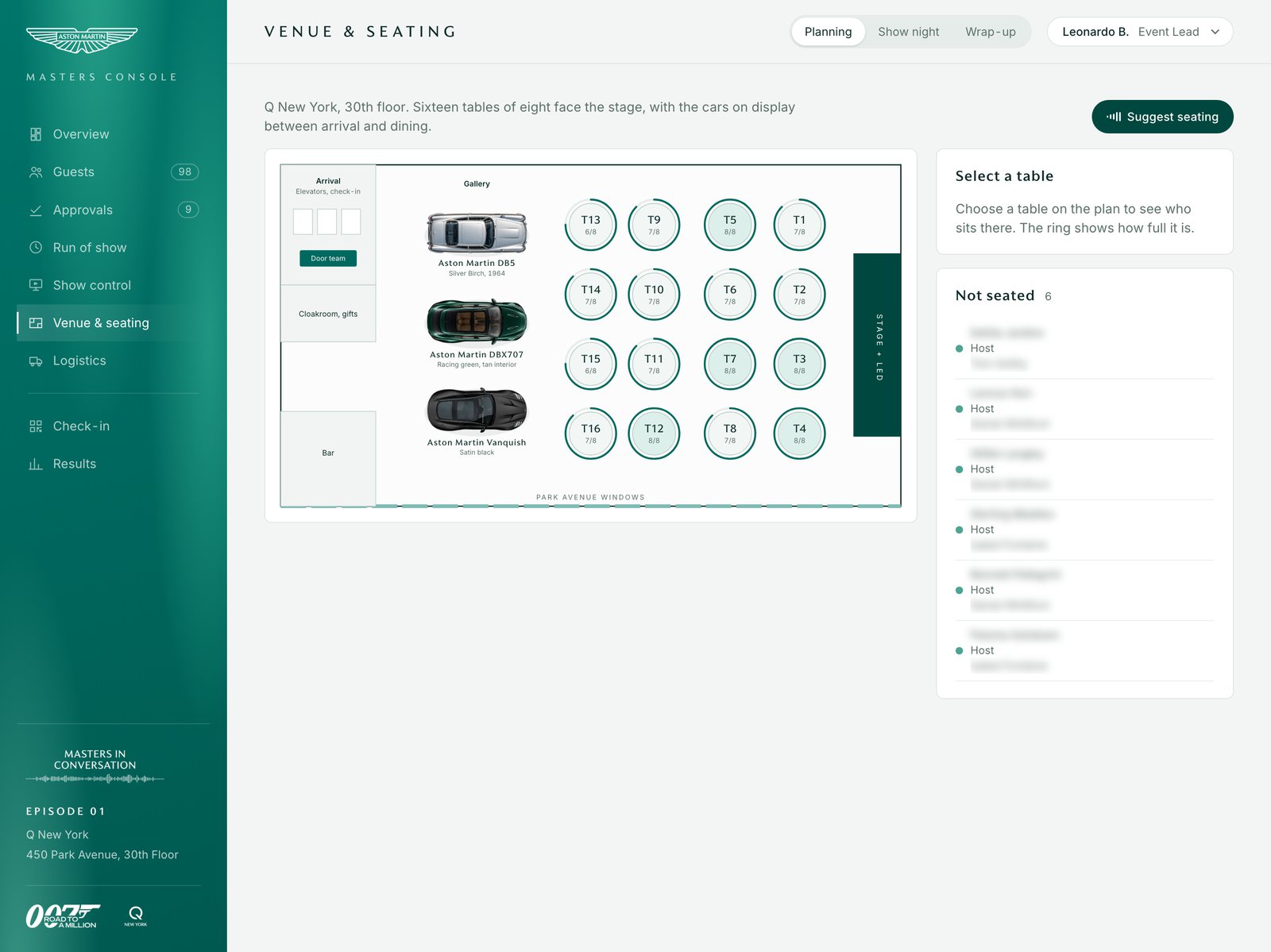
Nine views on one data set: I designed them and built the front-end in React and TypeScript with Claude Code, working with the technical leads and developers. Around it, the event identity: social campaign, LED stage, print and signage.
Design tokens generated from the Figma file with AI, then checked against the code, so design and build never drift apart.
Type · Flare for display, Inter for the interface
Flare is Aston Martin's brand typeface, shown here in a close stand-in.
Colour
Status · same colours for guests, approvals and cues
Components
Masters in Conversation

Hierarchy and trade-offs
Eight people run the evening from the same console, each with one job. So every view answers that role's question first, and everything else stays out of sight.
Each of these choices gave something up. Here is what, and why it was worth it.
Trade-offs
- 01A view per role, not one shared screenThe door team sees the guest list, the show operator the cues, the brand leads their approvals. More views to design, but nobody scrolls past someone else's work.
- 02Three brands side by side on every approvalAston Martin, Prime Video and EON each have their own status on the same row. A wider table than one status, but who is still waiting is visible at a glance.
- 03Three phases in one toolPlanning, show night and wrap-up live in the same console. A larger product than three separate tools, but what was planned is already there on the night.
- 04The run of show drives the LED cuesSchedule and stage share the same data, so a change moves both. More to set up before the evening, but stage and schedule never drift apart.
- 05One visual language, console to stageConsole, LED stage and social share colour, type and waveform. Fewer choices per medium, but three brands read as one evening.
- +One screen to build, everyone sees everything
- −The door team scrolls past approvals and cues to find a guest
- +Each role sees only its items: less noise, fewer mistakes
- −More views to design, and roles to keep in sync
Why BOn the night, eight people work at once, and at this level one missed detail is a brand risk.
The result
- 8people working in the console at once, each seeing only their role
- 1tool instead of spreadsheets and email threads
- 3brands in one approval flow
- 1M+campaign impressions
On the night, 8 people worked in the console at the same time, from the event lead to the door team and the show operator, each seeing only what their role needed. Spreadsheets and email threads were replaced by one shared tool.
Masters in Conversation launched as a series, and the campaign passed 1M impressions.
Everything from Episode 01 becomes the starting point for the next.